
Your first affiliate page in 6 steps
Read this once, top to bottom. It's the exact order that gets a page live and in front of people, without the usual month of setup.
Get your affiliate ID (free)
Amazon Associates: apply at affiliate-program.amazon.com. Your tracking ID looks like yourname-20. Amazon reviews new accounts and expects qualifying sales within your first 180 days, so plan to share your page right away.
ClickBank: open a free account at clickbank.com. Your "nickname" is your affiliate ID. In the marketplace, note the vendor nicknames of products you want to promote.
Starter uses one platform. Pick the one that fits your audience: physical products (Amazon) or digital products (ClickBank).
Pick ONE niche
Choose the niche you can talk about naturally, or where you already have people: Phones & Accessories, Home Office, Home Fitness, Kitchen, Pet Supplies, Outdoors & Camping, Smart Home or Small Business Tools. One focused page beats five empty ones.
Activate your Partner Portal
Check out securely with Stripe. You're signed in automatically afterwards, and you can always get a one-tap sign-in link at store.digitalenvisioned.net/login.
Claim, paste, publish
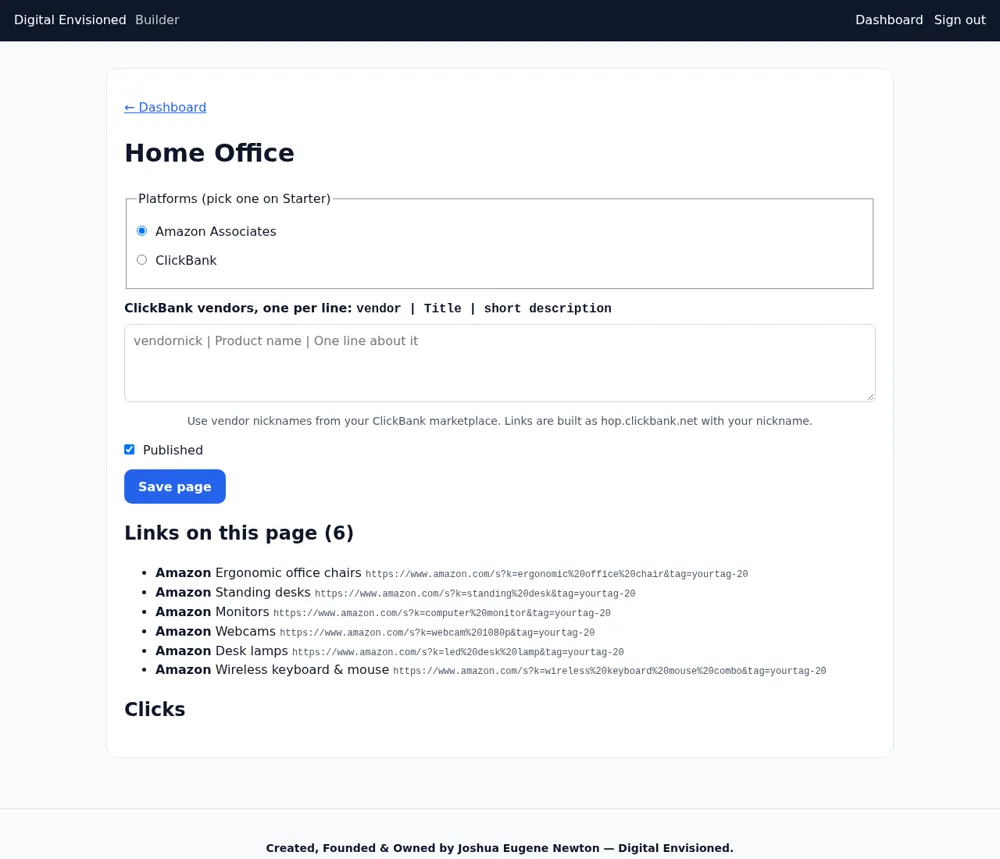
In your dashboard: claim /u/yourname (it can't be changed later, so choose carefully), paste your Amazon tag or ClickBank nickname, add your niche page, choose your platform and tick Published. Your page is live.
Get your first visitors
- Link in bio. Put your page link on every social profile you have.
- Show, don't sell. Post short videos or photos about problems your niche solves ("my 3 home-office fixes under $50"), then point to your page.
- Be useful where people ask. Answer questions in groups and forums that allow links, and follow each community's rules.
- Always disclose. Say it's an affiliate link (e.g. "#ad" or "I earn from qualifying purchases"). The FTC requires it. Your page already shows the disclosure; your posts need one too.
Track, then double down
Check your click totals. Keep what gets clicked, and post more about it. When one niche works, Multi-Platform ($97 one-time) lets you run up to 5 pages and mix Amazon, ClickBank and custom partner links.
Rules that protect your account
- Never click or buy through your own links to "test" commissions.
- Don't put Amazon affiliate links in emails, PDFs or offline material. Amazon's agreement doesn't allow it. Link to your page instead.
- Don't make income or health claims you can't back up.
- Don't spam. It gets accounts closed.
Ready to do steps 3 to 6 for real?
One payment of $37. Live page today. All sales final.
Questions? support@digitalenvisioned.net
Earnings disclaimer: results are not guaranteed and you may earn nothing. Digital Envisioned is not affiliated with Amazon or ClickBank.